A private cloud without buying a NAS
A practical guide · 2026
You want your own private cloud — your files, on hardware you control, reachable from your phone and laptop, without paying a monthly subscription. The usual advice is "buy a NAS." But a NAS is another box to buy, set up, and maintain — and if you already have a computer at home, you may not need one at all. Here's how to get a private cloud without a NAS, and an honest look at the tradeoffs.
Why people buy a NAS (and why you might not need to)
A NAS (network-attached storage) is a small always-on device that holds your files and shares them across your network. They're genuinely good: purpose-built, low-power, always on, and often with RAID redundancy that survives a drive failure.
But they also cost €150–500+ before drives, take real setup, and are one more thing to maintain. If you already own a desktop or an old laptop that's on much of the day, that machine can play the same role — a NAS is really just a computer with storage.
The real options for a PC-based private cloud
Repurpose an old laptop or desktop
The core idea: instead of buying a NAS, use a computer you already own. An old laptop is ideal — low-power, with a built-in battery that doubles as a free UPS, and probably gathering dust. Then you need software to turn it into a private cloud.
Nextcloud
- Good: powerful, full-featured, open source, fully yours.
- Bad: it's a server — you install and maintain Nextcloud, a database, a web server, and certificates. Great if you enjoy sysadmin; a lot if you just want your files.
Syncthing
- Good: private, no cloud, open source.
- Bad: it syncs — every file is copied to every device, so it doesn't help when the point is to keep files on the big machine and just reach them from a full phone.
A network share (SMB)
- Good: free, no cloud, browse your real folders.
- Bad: fiddly to set up for non-technical users, local-network-only by default, and exposing it to the internet is risky.
A Raspberry Pi
- Good: tiny, cheap, low-power, always on.
- Bad: still a device to buy and set up, still runs server software, and USB-attached storage isn't the most robust.
What you probably actually want
Most people don't want a server or a sync engine. They want a folder on a computer they already own, that they can browse and add to from their phone — privately, and ideally from anywhere — without becoming a sysadmin.
That's the specific gap HomiDrive is built for. You pick a folder on a computer you own, and it becomes a private drive you browse from your phone — at home over Wi-Fi or, with Remote, from anywhere. No NAS to buy, no server to configure, no port forwarding. Your files stay on your own machine; nothing is uploaded to a cloud.
 HomiDrive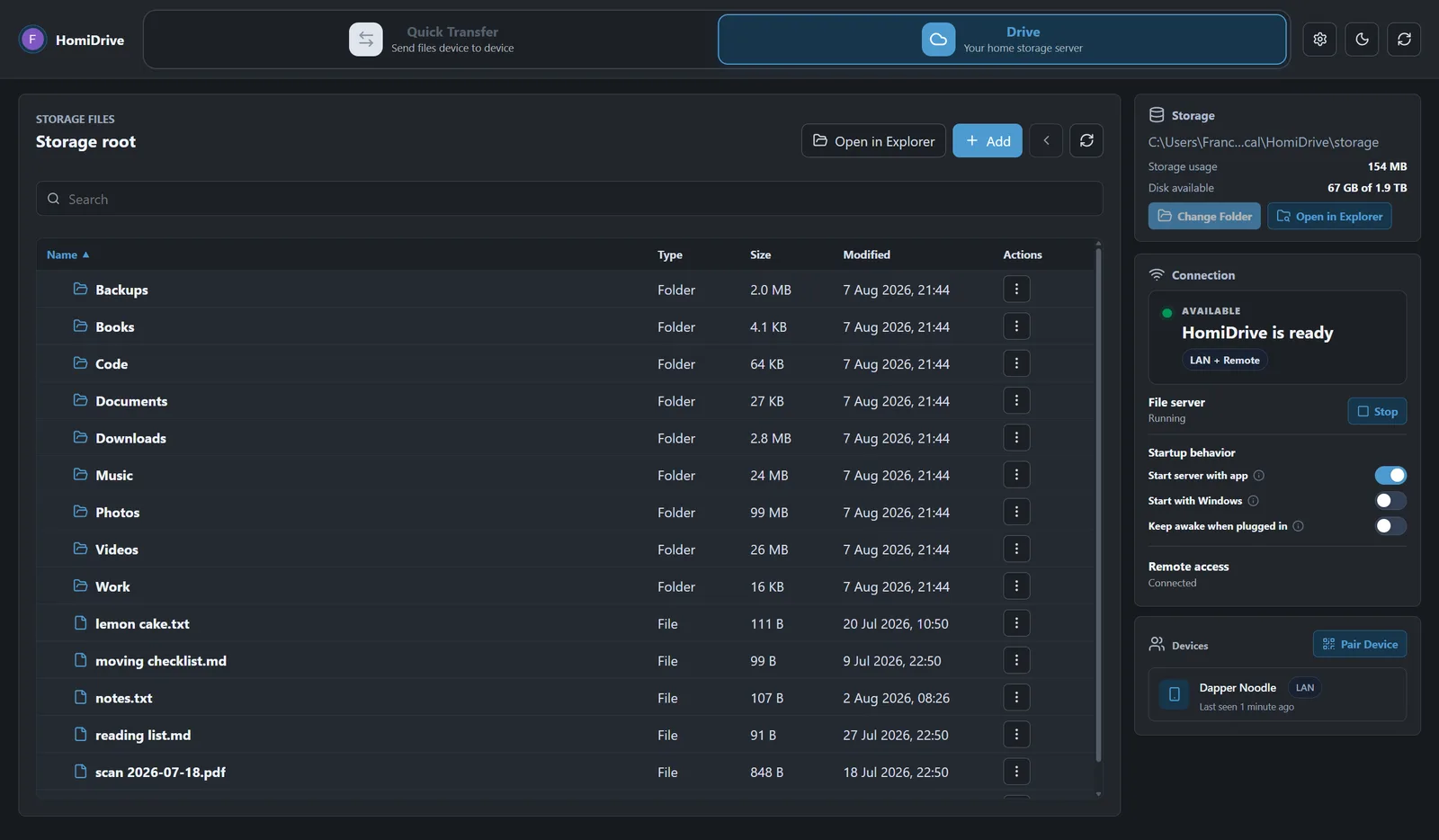
Get HomiDrive for Windows and Android.
Honest tradeoffs vs a real NAS
Using a PC as your private cloud isn't strictly better than a NAS — be clear-eyed:
- The computer has to be on to reach your files (just as a NAS is always on). An old laptop left plugged in works well.
- A desktop draws more power than a purpose-built NAS.
- No built-in RAID. A NAS can mirror drives to survive a disk failure; a single PC drive can't. Keep a backup either way — one copy is never a backup.
If you need 24/7 uptime, RAID, and minimal power draw, a NAS is worth it. If you just want private access to storage you already own, you don't need to buy one.
Quick answers
Do I need a static IP or port forwarding? No — reaching your drive from away uses an encrypted overlay, not open ports.
Is it private? Your files stay on your computer and aren't uploaded to anyone else.
Which devices? Windows and Android first, with more to follow.
Related: How to access your computer's files from your phone · Transfer large files over Wi-Fi.