How to access Windows files from Android without cloud storage
A practical guide · 2026
You do not have to upload an entire folder to Google Drive, OneDrive, or Dropbox just to open it from your phone. Your Windows PC can remain the place where the files live while Android connects when you need something. The right setup depends on whether you only need access at home or also need it while away.
First decide: transfer, sync, or browse?
- Transfer sends a chosen file once from one device to another.
- Sync maintains copies of selected folders on both devices.
- Browse lets the phone explore files that remain stored on the PC and download only what is needed.
If phone storage is limited, browsing is often the most useful model. Syncing a 200 GB folder to a 128 GB phone cannot solve a capacity problem.
Method 1: Windows file sharing on your home network
Windows can share a folder using SMB. An Android file manager with SMB support can then connect to the PC's local address and browse that folder over Wi-Fi.
- Good: built into Windows, local, and files stay in their normal folders.
- Tradeoff: Windows sharing permissions, network profiles, addresses, and credentials can be confusing.
- Important: do not expose SMB directly to the public internet or forward its ports from your router.
Method 2: sync selected folders
Peer-to-peer synchronization tools can keep chosen folders consistent between Windows and Android without placing the data in hosted cloud storage.
- Good: offline copies are available on both devices.
- Tradeoff: every synchronized file consumes space on the phone, and deletions or conflicts require care.
Method 3: remote desktop
A remote-desktop app shows and controls the Windows screen from Android. You can find a document this way, but it is designed to operate the computer rather than behave like a phone file browser.
- Good: reaches applications as well as files.
- Tradeoff: awkward on a small screen and not ideal for opening files in Android apps.
Method 4: turn a Windows folder into a private drive
A private-drive app can present a selected Windows folder to Android without copying the whole folder into hosted storage. The PC remains the source of truth, and the phone browses, uploads, or downloads individual items.
That is the Cloud mode in HomiDrive. Local access uses paired-device credentials and pinned HTTPS on your home network. Optional Remote access reaches the same drive through an encrypted owner-only connection without opening file-sharing ports on the router. File Transfer remains a separate, local-network-only mode.
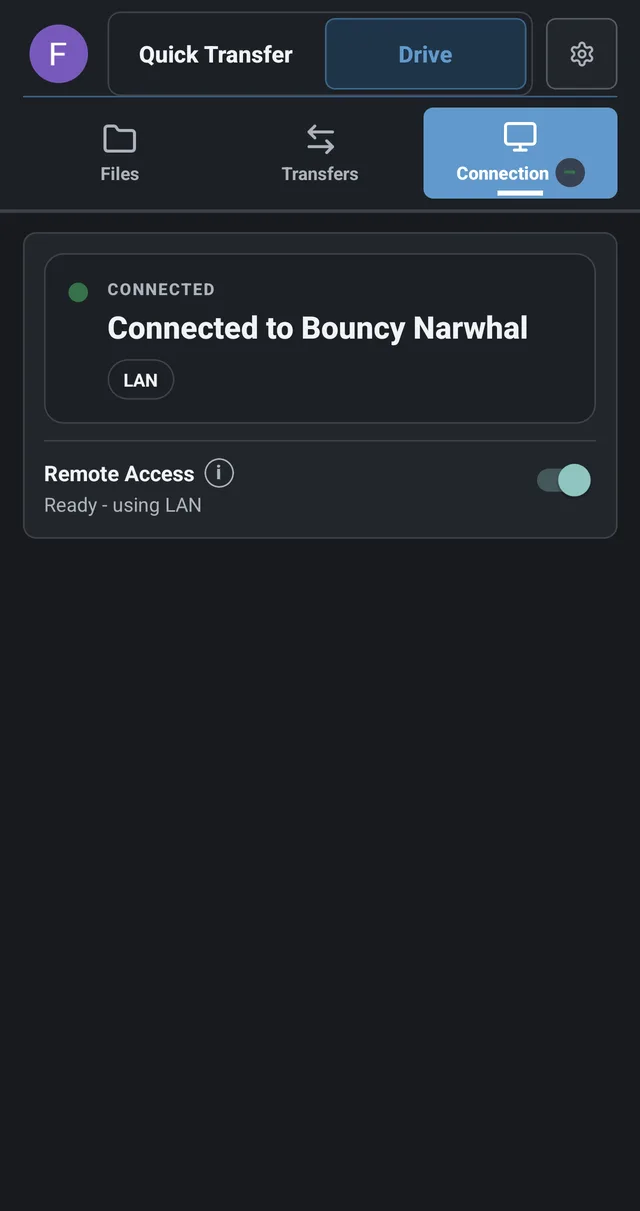
Get HomiDrive for Windows and Android.
What happens when the PC is off?
The files are stored on the PC, so it must be awake and connected when the phone wants to browse them. This is the same basic availability tradeoff as running a NAS at home. If you need continuous access, use an always-on machine or configure Windows power settings appropriately.
Does “without cloud storage” mean without the internet?
At home, local access can work entirely over Wi-Fi. Away from home, some form of internet connection is required to reach the PC, but the files do not need to be stored on a hosted cloud server. Those are separate questions: the network may carry the file without becoming its permanent storage location.
Choose based on the job
- Home Wi-Fi and comfortable with Windows networking: use SMB.
- Need full offline copies: use peer-to-peer synchronization.
- Need to control Windows applications: use remote desktop.
- Want phone-friendly browsing without copying everything: use a private-drive approach.
Related: Six ways to access computer files from a phone · Build a private cloud without a NAS.