Quick Share alternatives for Windows and Android
An honest comparison · 2026
Quick Share is often the first tool to try when moving a file between Android and Windows. It is convenient, familiar, and designed for nearby sharing. But a different tool may fit better when device discovery is unreliable, you regularly send folders, you want a receiver-selected destination, or you need to browse files that remain on the PC.
When Quick Share is already the right answer
Keep using Quick Share when both devices support it, discovery works reliably, and you need an occasional nearby send. Replacing a working built-in flow with another application adds setup without necessarily adding value.
Alternative 1: a USB cable
A cable is the least exciting alternative and often the most dependable. Android's USB file transfer mode exposes phone storage in Windows File Explorer.
- Choose it for: bulk migrations, unreliable Wi-Fi, or transfers where predictability matters most.
- Skip it when: the devices are not physically together or you want a convenient everyday workflow.
Alternative 2: LocalSend
LocalSend is an open-source application for sending files and text between devices on the same local network. It supports several desktop and mobile platforms and does not require hosted cloud storage.
- Choose it for: a simple cross-platform LAN sharing utility.
- Tradeoff: it is a transfer tool, not a persistent private drive for browsing PC folders remotely.
Alternative 3: cloud storage
Uploading to Google Drive, OneDrive, or Dropbox is useful when the receiver is not currently online or the devices are in different places.
- Choose it for: asynchronous access and files that should remain available online.
- Tradeoff: upload time, download time, storage limits, and a hosted copy of the data.
Alternative 4: Windows Phone Link
Phone Link integrates selected Android experiences with Windows. Available file features vary by phone and Windows configuration, so check whether your particular devices support the workflow you need.
- Choose it for: broader phone-and-PC integration when your devices are supported.
- Tradeoff: it is not a universal file-transfer experience across every Android device.
Alternative 5: HomiDrive File Transfer
HomiDrive separates nearby transfer from private-drive access. In File Transfer mode, Windows and Android discover one another over the LAN. A sender can select files, folders, or clipboard text; the receiver sees the request, approves or denies it, and chooses where received files should go. Active transfers can be cancelled, and the payload is sent directly between the nearby devices.
- Choose it for: recurring Windows–Android transfers with explicit approval and destination control.
- Tradeoff: both devices must be on the same local network; HomiDrive deliberately does not route File Transfer through its Remote service.
 HomiDrive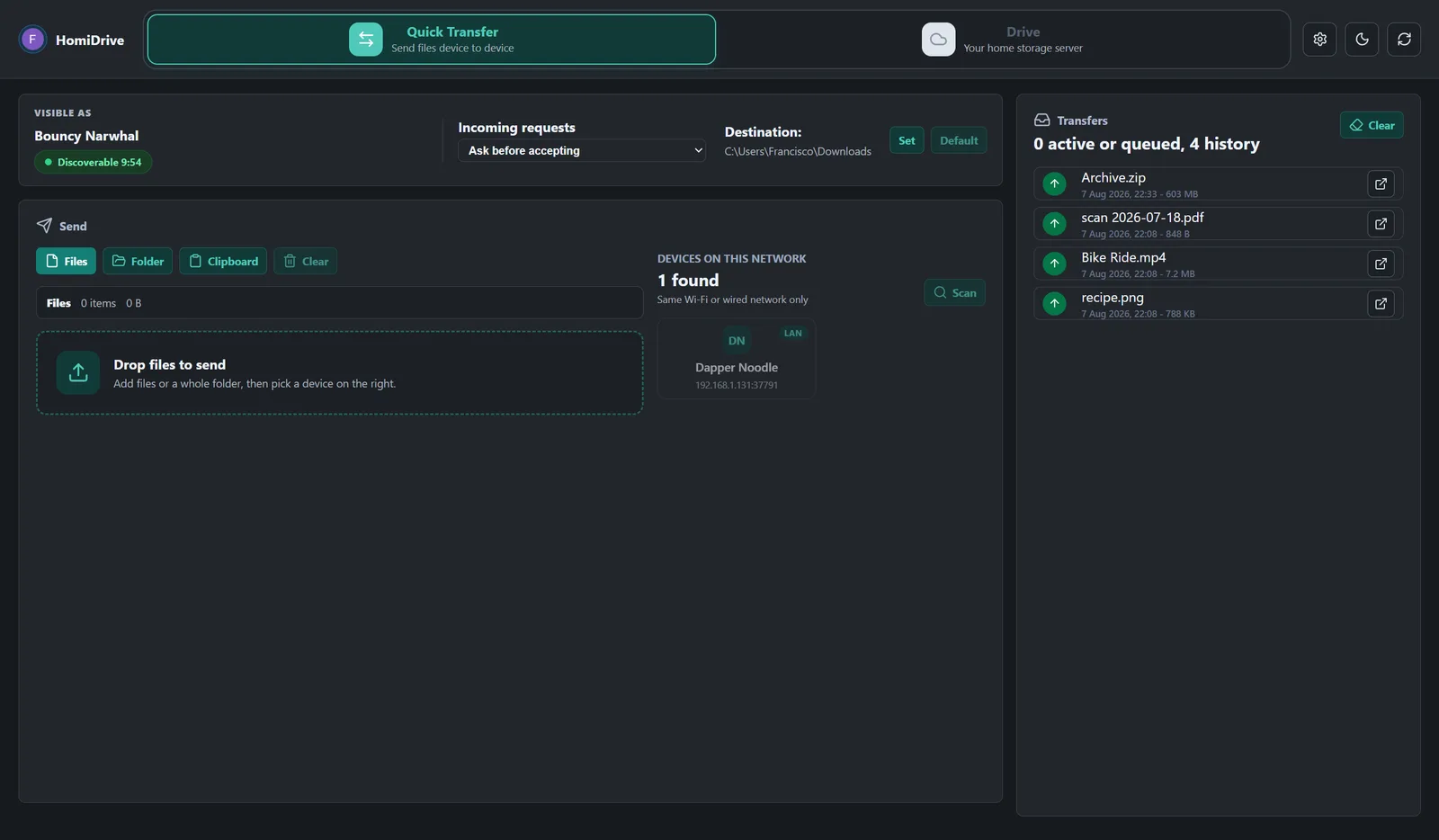
Get HomiDrive for Windows and Android.
What if you want to browse instead of send?
None of these one-off sharing methods turns the PC into a drive. If the real goal is to explore a Windows folder from Android and fetch only the files you need, use Windows SMB on the home network or a private-drive tool. That avoids sending the same folder repeatedly and avoids keeping a full copy on the phone.
Short recommendation
- Quick Share works: keep it.
- Need a cross-platform open-source sender: try LocalSend.
- Moving a very large archive: use a cable.
- Need delayed access from another location: use cloud storage.
- Want controlled nearby transfers plus a separate private drive: consider HomiDrive.
Related: Transfer large files over Wi-Fi · Access Windows files without cloud storage.